
Designs.ai Guide: Workflows, Plugins & Studio Boards
How Designs.ai Workflows, Plugins & Studio Boards automate on-brand content.

Managing content creation across multiple platforms often feels like spinning plates. Switching between separate apps for graphics, video edits, brand assets, and copywriting breaks focus and slows down momentum.
Designs.ai solves this workflow friction by offering an integrated creative ecosystem powered by Agents Mode, Plugins, and Studio Boards. Here is a quick guide on how these features connect to help scale visual identity and automate content pipelines effortlessly.
1. Streamlining Creation with AI Workflows
An AI workflow is designed to automate complex, multi-step creative tasks into a single repeatable process. Instead of writing detailed prompts from scratch every time you need campaign variations or brand assets, custom workflows chain specialized tools together.
Key Benefits of AI Workflows:
- End-to-End Execution: Turn a single initial input—such as a product photo or concept brief—into graphics, copy, and videos simultaneously.
- Task Routing: Automated agent routing directs sub-tasks (like audio voiceovers or banner layouts) to the ideal AI generator model.
- Time Efficiency: Eliminate manual re-entry by passing outputs automatically to the next stage of production.
2. Expanding Capability via Plugins
Plugins inside the Designs.ai ecosystem act as specialized capabilities that extend what your AI agents can accomplish within your workspace. They seamlessly bridge raw generation tools with functional editing and asset management.
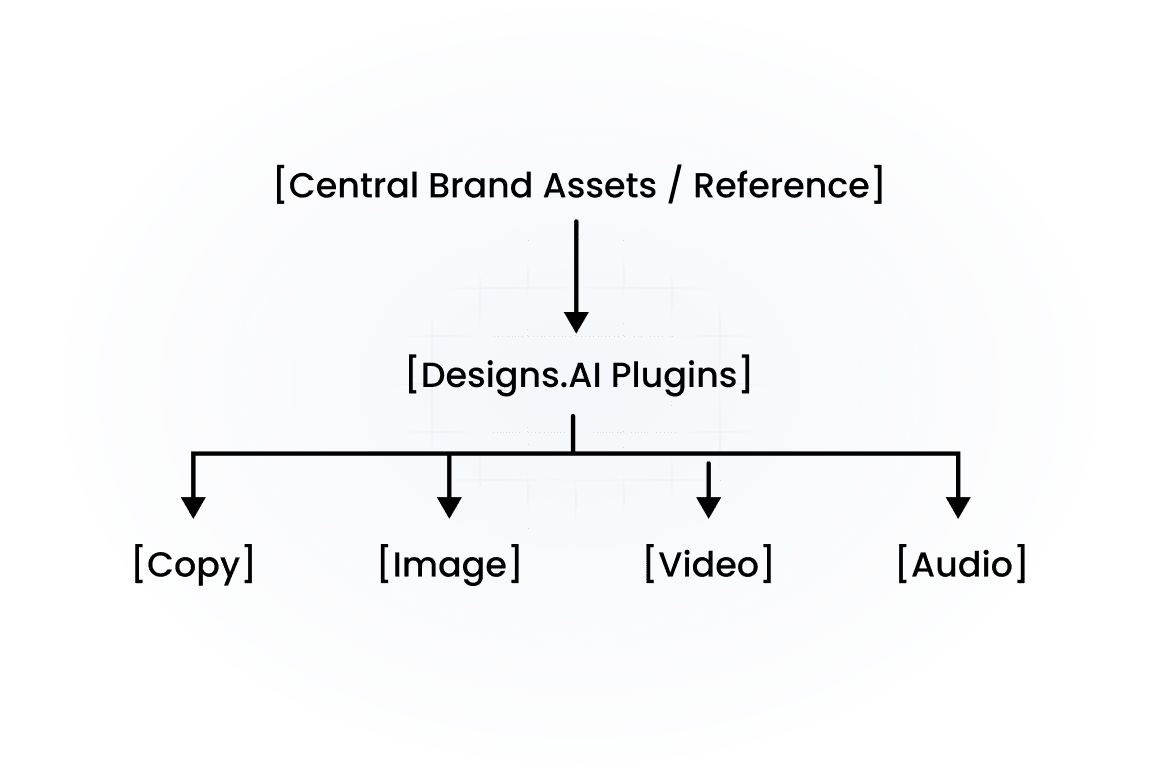
What Plugins Enable You to Do:
- Brand Kit Syncing: Keep logos, color palettes, and custom typography automatically applied across all generated media.
- Multi-Format Adaptation: Transform static graphics directly into short video ads or localized copy in seconds.
- Tool Integration: Connect external tools, custom skills, and Model Context Protocol (MCP) workflows directly into your agent threads.
3. Organizing and Reusing Assets with Studio Boards
Located directly inside Agents Mode under Studio, Designs.ai Studio Boards offer a visual canvas to map out and store reusable workflows. Instead of starting from scratch for every new campaign, Studio Boards let you save successful creative chains and rerun them whenever new assets are required.
How to Build a Reusable Studio Board Workflow:
- Upload References or Prompts: Start by adding hero style references, product photography, or starter prompts onto the visual canvas.
- Connect Generators: Chain your reference nodes to specialized image, video, or audio generators in sequence.
- Save and Reopen: Name your board and save it. When a new product launches or a campaign refresh is due, reopen the board, swap the reference media, and run the pipeline instantly.
Ready to Supercharge Your Creative Workflow?
Stop wasting time on repetitive design tasks and fragmented tools. Build scalable, on-brand visual content in minutes using the combined power of Designs.ai Workflows, Plugins, and Studio Boards. Get started with Designs.ai today!